
If your ASUS phone is running slowly or apps are reloading frequently, it may be due to a RAM issue. The easiest and quickest solution is RAM Expansion, also known as Virtual RAM. In this guide, you’ll learn what ASUS RAM Expansion is, how it works, and how to enable it step by step on supported ASUS phones.
What Is ASUS RAM Expansion?
ASUS RAM Expansion is a software feature that utilizes internal storage as virtual RAM, rather than separate physical RAM, which is not possible in phones.
Benefits of ASUS RAM Expansion
- Converts unused storage into temporary memory
- Helps keep more apps open in the background
- Improves multitasking and reduces app reloads
It’s important to understand that virtual RAM is not as fast as real RAM, but it still helps with daily usage and small tasks.
How Does ASUS RAM Expansion Work?
Here’s how it works in simple terms:
- Phone borrows a small portion of storage
- That storage acts like extra RAM
- Android uses virtual RAM when physical RAM is fully occupied by heavy or important tasks.
When a user uses virtual RAM, it becomes useful for handling small and simple tasks when the physical RAM is full.
- Switching between apps
- Using social media, browsers, and messaging apps
- Running many apps at the same time
How to Enable ASUS RAM Expansion (Step-by-Step)
Follow these steps on your ASUS phone:
- Open Settings
- Scroll down and tap Advanced or System
- Tap RAM or RAM Expansion
- Choose the RAM size (2GB / 4GB / 8GB – depends on model)
- Confirm and restart your phone
Note: If updates are available on your device, first update the phone and then use ASUS RAM Expansion (Virtual RAM). This can be very useful and help make your phone smoother when the physical RAM is full.
Best RAM Expansion Settings for ASUS Phones
For best performance, use these recommendations:
- 4GB RAM phone → 2GB virtual RAM
- 6GB RAM phone → 2–4GB virtual RAM
- 8GB RAM or more → 4GB virtual RAM
Not all ASUS phones support this feature. Below is a general compatibility overview
Which ASUS Phones Support RAM Expansion?
Here are the ASUS smartphones that support the RAM Expansion (Virtual RAM) feature:
- Most Zenfone models
- ROG Phone series
- Android 12 or newer
- Availability depends on model & region
Does ASUS RAM Expansion Really Improve Performance?
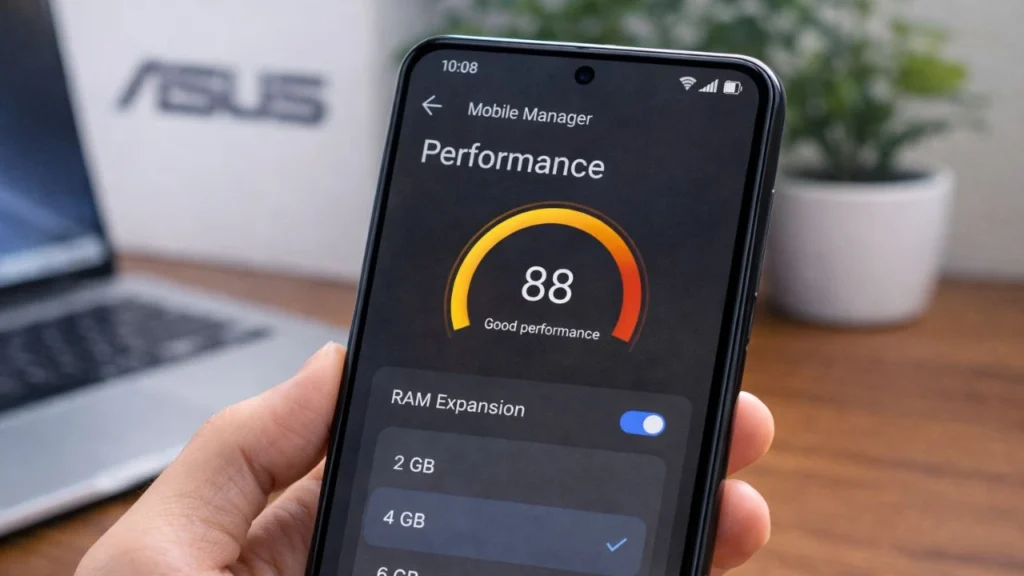
Yes, it works and slightly improves the phone’s performance. For example, if you are playing a heavy game and chatting on WhatsApp at the same time, the system uses the physical RAM for gaming to keep it stable, while chat apps run on virtual RAM. In this way, both work together smoothly. However, it’s important to note that virtual RAM is not as fast as physical RAM.
Helps with:
- Multitasking
- App switching
- Reducing background app refresh
Does NOT help much with:
- Heavy gaming FPS
- CPU or GPU performance
The improvement depends on:
- Storage speed
- Available free space
- How many apps do you use
Common ASUS RAM Expansion Problems & Fixes
Here are some common issues that may occur even without using the ASUS RAM Expansion feature:
- Phone lagging: Clear unused apps, restart weekly, keep at least 5–8GB free storage
- Battery draining faster: Reduce virtual RAM size, Disable unused background apps
- Storage filling up: Lower RAM Expansion value, Delete large files or videos
ASUS RAM Expansion vs Physical RAM
| Feature | Physical RAM | RAM Expansion |
|---|---|---|
| Speed | Very fast | Slower |
| Hardware-based | Yes | No |
| Can be increased | No | Yes |
| Helps multitasking | Yes | Yes |
Final Thoughts
ASUS RAM Expansion is a useful feature if your phone has limited RAM and you multitask often. While it does not replace physical RAM, enabling it correctly can make your ASUS phone feel smoother in daily use. If your phone supports it, turn it on and use a balanced setting for the best results.
FAQs
Is ASUS RAM Expansion safe to use?
Yes, ASUS RAM Expansion is completely safe because it is an official ASUS software feature. It does not modify hardware or system files. When used normally, it does not harm your phone’s performance, battery, or storage.
Does ASUS RAM Expansion damage internal storage over time?
No, ASUS RAM Expansion does not damage internal storage under normal usage. Modern smartphones are designed to handle frequent read and write operations. However, using extremely high virtual RAM values on phones with low storage may reduce efficiency, which is why balanced settings are recommended.
Can ASUS RAM Expansion improve gaming performance?
ASUS RAM Expansion helps indirectly. It improves multitasking by keeping background apps active, allowing physical RAM to focus on games. However, it does not significantly increase FPS or GPU performance. Gaming performance still depends on the processor, GPU, and real RAM.
