
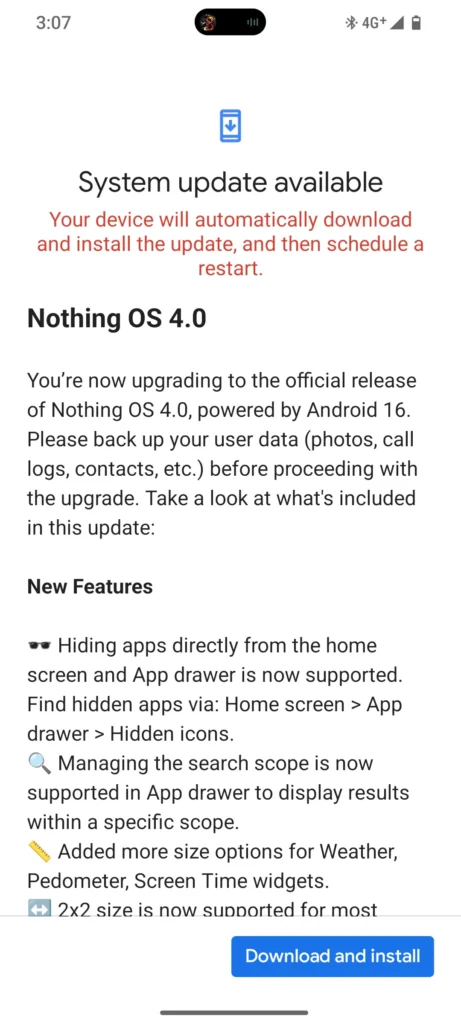
Nothing has kicked off the Android 16-based Nothing OS 4.0 rollout for the CMF Phone 1, bringing the update first teased on the Nothing Phone 2 to Carl Pei’s budget star. The day has finally arrived for refined UI, deeper dark mode, and smarter multitasking are hitting users via phased OTA now.
This update brings improved performance, optimized glyph progress effects, and many AI Widgets, including a bunch of improvements in the system.
In this new update, the first-party app icons and status bar have been completely redesigned. The company claims this update is built for improved speed and smoothness. The first look shows display clarity with a completely new, clearer, and easier design.
Apart from that, the company has added two new clock designs for the lock screen with subtle haptic feedback and animations.
Nothing Os 4.0 Rollout Timeline
The new Nothing OS 4.0 update will roll out to eligible phones via OTA updates in phases. The CMF Phone 1 has started getting the update via OTA, while the CMF Phone 2 will begin receiving it in January 2026. The update can be found in the notification drawer as well as the Update Settings panel.
Improved Multitasking
In terms of multitasking, the company has excellently organized the multitasking pop-up view. Users can now use two separate floating apps simultaneously without jitter, featuring smooth opening and closing animations.
Realme and Xiaomi have showcased the most improved versions of Floating Window and Separate Window, which perform reliably well during multitasking. Now, Nothing OS 4.0 is entering the scene, marking a major achievement by making multitasking effortless.
Quick Setting Tiles Editing
In the Quick Settings bar, tiles now support a 2×2 layout along with more widgets that come in different shapes, such as 1×1 for weather, pedometer, and screen time.
This will make the Quick Settings bar more professional, clean, and easy to use with smooth graphics.
Improved Dark Mode
The new Nothing OS 4.0 update brings a new Extra Dark Mode feature to the Nothing Phone 1. This feature saves battery life and reduces power consumption by making the interface darker and more efficient.
Not only that, the Extra Dark Mode allows for more readability of text, messages, and notifications.
App Hide
The new update allows you to hide apps from the homescreen, which can then be found via Homescreen > App Drawer > Hidden Icons. This feature makes it easy to hide apps and reuse them quickly and easily.
